Episode 3 – Ask the Technical Expert: Why Does Thermal Transfer Ribbon Selection Matter?
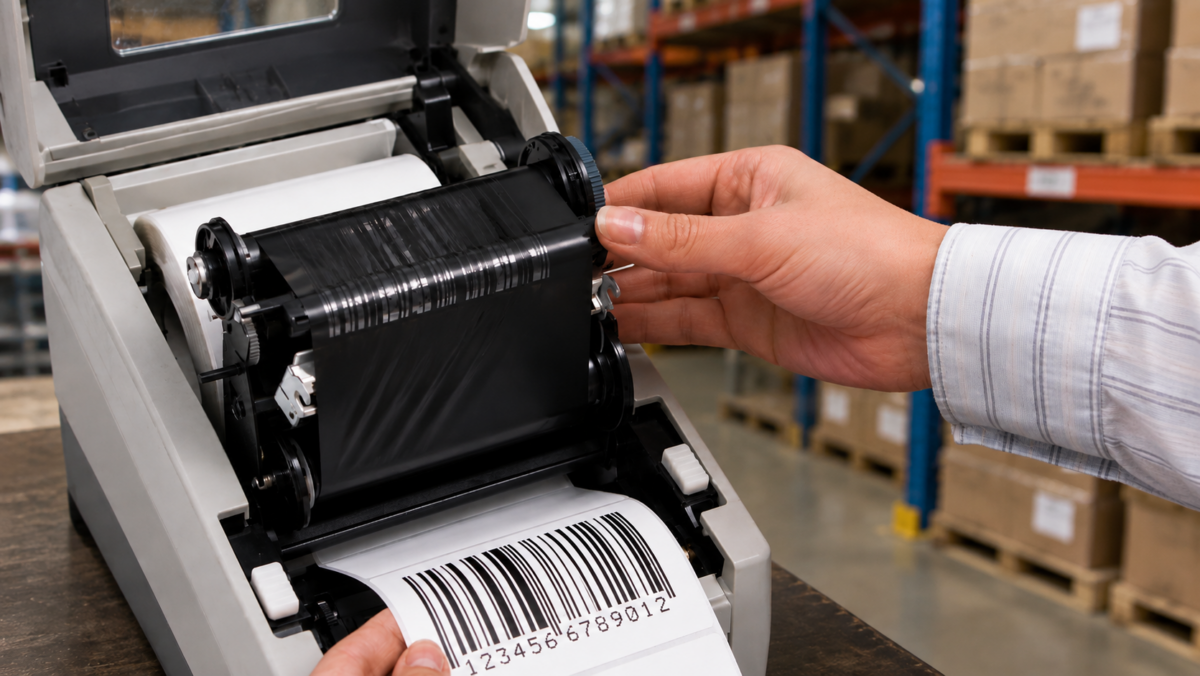
When customers troubleshoot a thermal transfer printing problem, there’s one component that often gets treated as an afterthought.
The ribbon.
The label gets most of the attention.
The printer gets plenty of attention.
The ribbon?
Sometimes it’s treated like a commodity. Put a roll in the printer and, as long as it makes a black image, everything must be working.
That’s a mistake.
After managing thermal ribbon operations and spending years working with inks, coatings and labeling materials, one of the lessons I’ve learned is that the ribbon should be considered part of the label construction itself.
The label, ribbon and printer have to work together.
Change one of them and you may change the performance of the entire system.
A Good Print Isn’t Just About Looking Black
Let’s start with a misconception.
A freshly printed barcode may look perfectly fine to the human eye.
That doesn’t necessarily tell you how it will perform over time.
Ask what happens next.
Will employees repeatedly handle it?
Will boxes rub against one another?
Will it encounter moisture?
Cleaning chemicals?
Heat?
Outdoor exposure?
Does the barcode need to remain scannable for a day, six months or several years?
Those questions determine how durable the printed image needs to be.
And that’s where ribbon selection becomes important.
Wax, Wax/Resin and Resin Aren’t Interchangeable
Thermal transfer ribbons generally fall into three broad formulation categories:
Wax ribbons are commonly used for many standard paper applications where extreme image durability isn’t required.
Wax/resin ribbons can provide greater durability and resistance and can work with various coated papers and synthetic materials.
Resin ribbons are generally used where higher durability, abrasion resistance, chemical resistance or performance on synthetic materials is required.
Zebra similarly distinguishes wax, wax/resin and resin formulations according to media compatibility and application durability requirements.
But here’s where customers can get into trouble:
More expensive doesn’t automatically mean better.
Putting a resin ribbon into every printer isn’t the answer.
The right ribbon is the ribbon that works with the specific label material, coating, printer and performance requirement.
Your Ribbon and Label Need to Be Matched
This is one of the most important technical points in thermal transfer printing.
The ribbon isn’t printing onto some generic surface.
It’s interacting with a particular paper, film or synthetic facestock and often a specific coating.
Those surfaces accept thermal transfer inks differently.
That’s why changing label material while keeping everything else exactly the same can sometimes create a print-quality issue.
Or changing ribbon suppliers can produce different results even though the new ribbon is technically described as the same general type.
Zebra’s own technical guidance states that the ribbon and media substrate must be compatible to obtain optimum thermal transfer print quality.
I’ve spent a significant part of my career working with these interactions, and they’re a perfect example of why I think about labeling as a system.
Barcode Readability Raises the Stakes
This becomes even more important when the printed image isn’t simply text.
It’s a barcode.
Now the question isn’t just whether the print looks good.
It needs to scan reliably.
In a warehouse, distribution center, manufacturing facility or retail environment, a poorly performing barcode can create interruptions far beyond the cost of the label itself.
A barcode that becomes scratched, smeared or degraded can result in rescans, manual intervention and operational inefficiency.
That’s why I always want to understand the required lifespan of the printed image.
A shipping label that only needs to survive a short distribution cycle has very different requirements from an asset label expected to remain readable for years.
Don’t Forget Printer Settings
Material and ribbon are only part of the equation.
Thermal transfer printing works by using heat from the printhead to transfer material from the ribbon onto the label surface.
That introduces additional variables:
- Printhead temperature or darkness settings
- Print speed
- Printhead condition
- Printer model
- Ribbon formulation
- Label material
- Label coating
A printing issue can sometimes be addressed through printer settings rather than changing the label or ribbon.
But that decision should be made deliberately.
Simply turning the heat higher until the image looks darker isn’t always the best troubleshooting strategy.
We’re trying to find the combination that creates consistent, durable print quality without unnecessarily compromising speed or printer performance.
Start With What the Printed Label Must Survive
When I’m helping select a ribbon, I don’t start by asking whether the customer wants wax, wax/resin or resin.
I start with the application.
Questions like:
- What label material are you printing on?
- Which printer are you using?
- What are you printing: text, graphics, barcodes or variable data?
- How long does the printed image need to last?
- Will it encounter abrasion?
- Moisture?
- Chemicals or cleaners?
- Heat or cold?
- Outdoor conditions?
- How important is long-term barcode readability?
- What print speeds are required?
Once we understand the end use, ribbon selection becomes much more straightforward.
When Something Changes, Re-Test the System
One final recommendation:
If you materially change one component of the thermal transfer system, don’t automatically assume everything else should stay the same.
Changed your label facestock?
Evaluate the ribbon.
Changed the ribbon?
Verify the print settings and image durability.
Moved to a different printer?
Confirm the combination again.
The goal isn’t to make things complicated.
It’s actually the opposite.
A little testing upfront can prevent a surprisingly frustrating print problem later.
Your Ribbon Is Part of the Label Solution
I spent years managing thermal ribbon operations before moving into my current technical role, so this is an area I particularly enjoy discussing with customers.
And the lesson I come back to is simple:
Don’t treat ribbon as an accessory to your label.
Treat it as part of the labeling system.
The right combination can improve print consistency, barcode readability and resistance to the conditions the label will face throughout its life.
At ID Images, we can help customers evaluate the label material, ribbon, printer and application together rather than troubleshooting each component independently.
Because sometimes the problem that looks like a bad label isn’t really a label problem at all.
And sometimes the problem that looks like a printer issue starts with the ribbon.
Quick Answer: Why Does Thermal Transfer Ribbon Selection Matter?
The thermal transfer ribbon must be compatible with the label material and appropriate for the application’s durability requirements. Wax, wax/resin and resin ribbons provide different performance characteristics, and the correct choice depends on the facestock, coating, printer, required image life and exposure to abrasion, moisture, chemicals and other conditions.
Not sure whether your label and ribbon are properly matched? Talk to your ID Images representative and let our technical team review the complete printing application.
By John Signet, Technical Solutions Manager, ID Images and Chair, TLMI Technical Committee